
Hail
Data Limitations
Hail data are not of sufficient quality to robustly determine historical trends and are of poorer quality than the tornado dataset. This is attributed to the increases in non-meteorological factors such as population and storm spotter coverage over time and the uncertainty in reported hail size. However, the recent decision to assess the number of hail days instead of individual hail reports has mitigated some biases. Also, note that the criteria for severe hail changed from 0.75” to 1” in 2009.
Definition and Description
Showery precipitation in the form of irregular pellets or balls of ice more than 5mm (0.2 inches) in diameter, falling from a cumulonimbus cloud (NWS 2009).
Hail forms by the collision of supercooled drops – raindrops that are still liquid even though the air around them is below freezing. The hailstone grows, supported by the updraft, until it is too heavy to remain aloft. Stronger updrafts generally produce larger hail size. Because obtaining large hail sizes requires a strong updraft, the timing of large hail is related to the lifecycle of large cumulonimbus clouds, which peak in intensity during late afternoon and evening hours. Updrafts may also be supported by vertical motion along a boundary, such as a front or mountains.
Hail severity is rated by the diameter of the largest hailstones in a storm. Hail of 1-inch diameter or greater is considered severe.
Historical Data
SPC Data Viewer - Hail Climatology
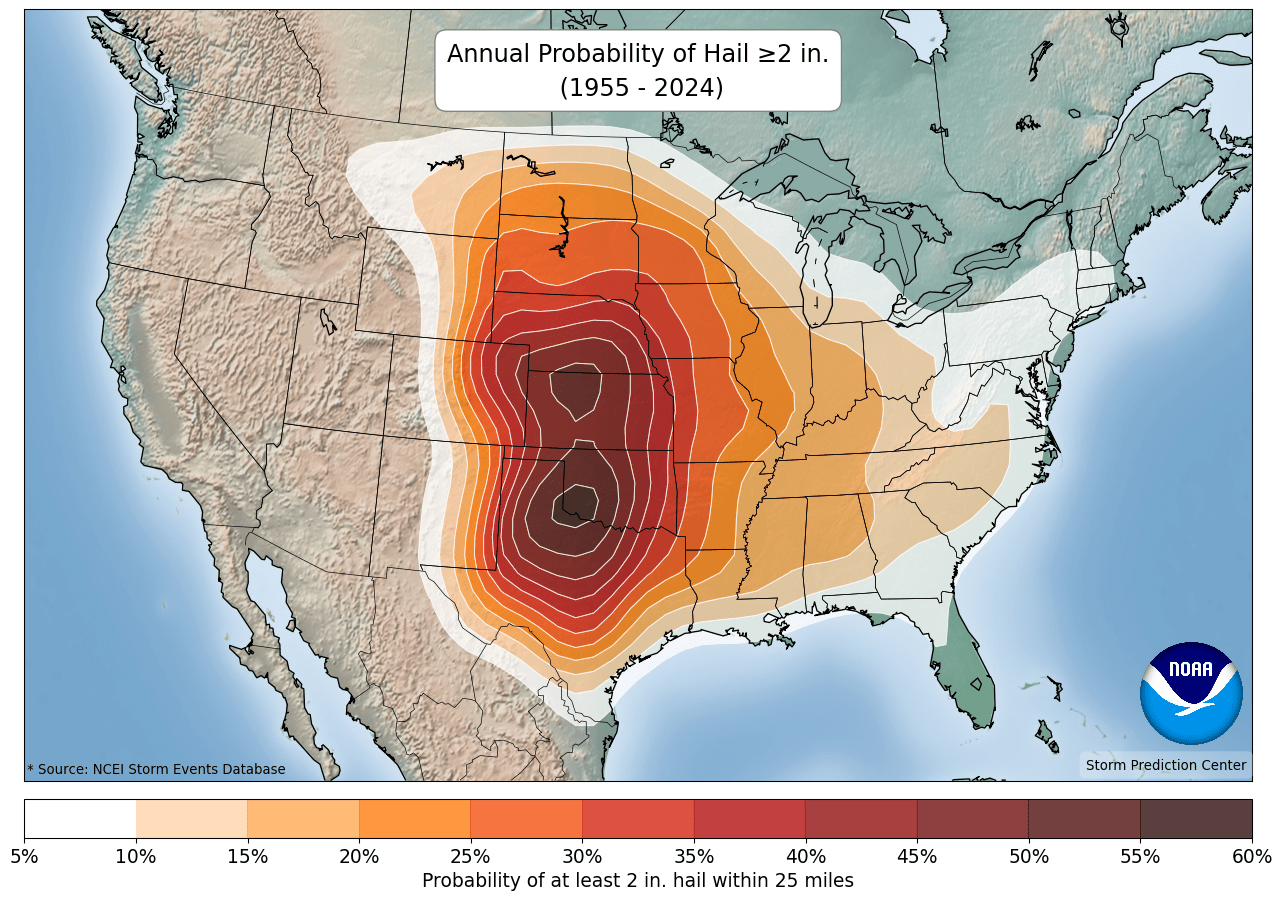
(1955-2024)NOAA/NWS Storm Prediction CenterThis tool provides a hail climatology for hourly, daily, monthly, and yearly time scales. It can be used to assess the time of day and time of year with the highest probability of hail. The tool also provides a climatology for other hazards (e.g., any severe storm, lightning, wind, tornado, fire).
1. Within the Hazard drop-down menu, select Hail. 2. Within the Climatology Interval menu, select the option you are interested in. For all options other than Yearly, there is a horizontal scroll bar under the map to change the map view to each hour, day, or month of the year. Note: Read the title and colorbar for each selection, as there are differences in what is shown. For hourly selections, note that the map title and scroll bar show hours in UTC format. 3. Within the Climatology Length menu, select All Data to view a climatology since 1955 or Last 30 Years to view the most recent 30-year period. 4. Within the Threshold menu, select a hail size or leave as All Data. 5. Under Map Overlays, check any layers of interest. 6. Click your area of interest on the map to view the probability of hail for your selection. 7. Use the download feature to receive a clean output map for the full U.S. with a legend. 8. Read more about the probability calculations and map information in the About section. Note for hourly options: The pop-up box shows local time, unlike the map title.
Storm Reports - Severe Hail
Hail: (1955-present) Southern Regional Climate CenterThis interactive tool displays the historical record of individual severe hail reports in your area. It can be used to determine hail events that have impacted your area.
1. On the left side of the screen, click on Search within Radius. 2. Choose the diameter of the area you want to investigate (25 or 50 miles). 3. Pan, zoom, and then click on the map area of interest. 4. Under Filter by Storm Types select Hail (de-select all other storm types). 5. Reports are displayed on the map and in two tables below the map.
Map: Mouse over individual storm reports for details.
Tables: There are two tables, Recent Storm Data and Historical Storm Data. Click on a column header to sort by column of interest. For example, to view the dates on which the largest hail occurred, click on the Scale column headers to sort by the largest hail values.

Storm Events Database
Hail: (1955-present) NOAA National Centers for Environmental InformationThis interactive tool displays the historical record of individual severe hail reports by parish. It can be used to determine hail events that have impacted your area or close to your area.
1. On the bottom left, under Select State or Area, choose Louisiana → Search 2. From top to bottom, select a specific Begin and End Date, and Parish of interest. 3. Under Event Type(s), select Hail. 4. Expand Advanced Search and Filter Options → Hail Filter, select hail size of interest. 5. Press Search. Summary results are presented in a table. Note: This tool can be used to analyze a variety of additional hazards with various time periods, and hail data goes as far back as 1955. This database is likely incomplete and does not account for all hail events.

Climate Change Trends
Hail is commonly associated with severe thunderstorms, and Louisiana has experienced at least one day per year with hail larger than 1 inch from 1986-2015. Northern Louisiana experiences 1-inch or larger hail, on average, 3-4 days per year (SPC 2016). Climate models project an increase in the atmospheric conditions that tend to favor severe thunderstorms, especially events capable of producing large hail (Kossin et al. 2017). Confidence in the projections is low, however, due to the isolated and sporadic nature of hail events and limited comprehensive datasets that make it difficult to track long-term trends (Wuebbles et al. 2017a).